Prof. Powershell
Validation Voodoo with PowerShell Scripts
Deploying scripts with parameters? Be sure to validate input. Here are a few validation tests worth considering.
- By Jeffery Hicks
- 08/09/2011
Whenever I write an advanced PowerShell function or script that uses parameters, I find it very helpful to validate any data upfront before my script gets too far. The last thing I want is my script to almost complete only to bomb out at the end because of invalid data. I'd rather have it fail immediately and avoid any unintended consequences.
In PowerShell 1 I had to write my own validation code. But now I have a number of options that I can use depending on the parameter and its expected value. You don't have to use any of them; feel free to write your own validation logic at the beginning of your script. But I think you'll find these validation tests much easier to use. Let's get started.
ValidateNotNullOrEmpty
One validation test I use frequently is to make sure that no null or empty value is passed.
Function Get-Foo {
Param (
[Parameter(Position=0,Mandatory=$True,HelpMessage="What computer do you want to process?")]
[ValidateNotNullOrEmpty()]
[string]$computername
)
Write-Host "Processing $computername" -ForegroundColor Green
}
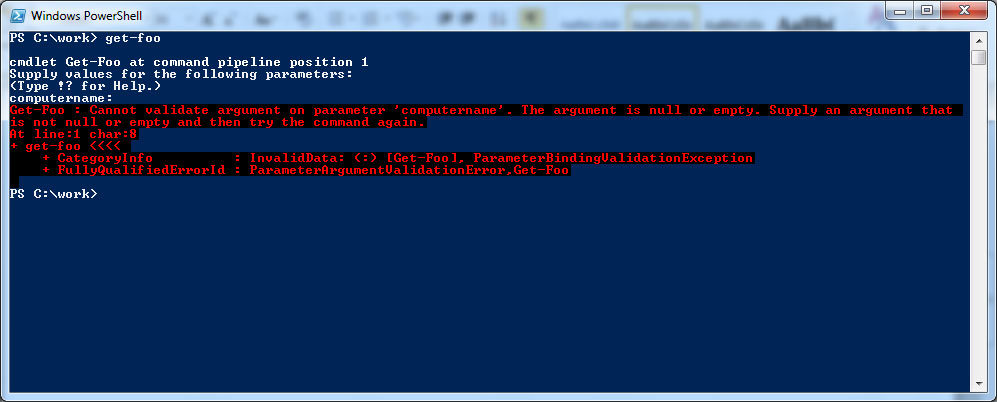
I find this works best with mandatory parameters as it will catch any empty values (see Fig. 1)
 |
|
Figure 1. The script left me feeling a bit empty. (Click image to view larger version.) |
Because I just hit enter, the validation logic was executed and PowerShell throws an exception. Ugly, perhaps, but I'd rather have that then have my script fail part way through.
ValidationRange
Another useful test, naturally for parameters expecting an integer, is range validation. The validation attribute takes two parameters, a minimum and maximum value. I've added a parameter that must be between 1 and 50:
Param (
[Parameter(Position=0,Mandatory=$True,HelpMessage="What computer do you want to process?")]
[ValidateNotNullOrEmpty()]
[string]$computername,
[Parameter(Position=1)]
[ValidateRange(1,50)]
[int]$Count
)
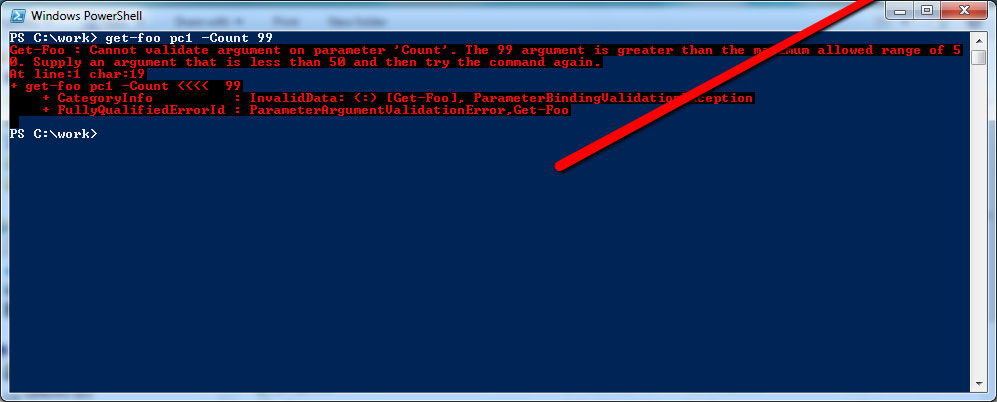
If a value outside that range is passed, PowerShell throws an exception (see Fig. 2).
 |
|
Figure 2. Now, I'm feeling a range of exceptions. (Click image to view larger version.) |
ValidateSet
Related to range validation, is validation on a set or collection of possible values. In this example, the parameter Item can only use a value of User, Computer or Group:
Param (
[Parameter(Position=0,Mandatory=$True,HelpMessage="What computer do you want to process?")]
[ValidateNotNullOrEmpty()]
[string]$computername,
[Parameter(Position=1)]
[ValidateRange(1,50)]
[int]$Count,
[Parameter()]
[ValidateSet("User","Computer","Group")]
[string]$Item="User"
)
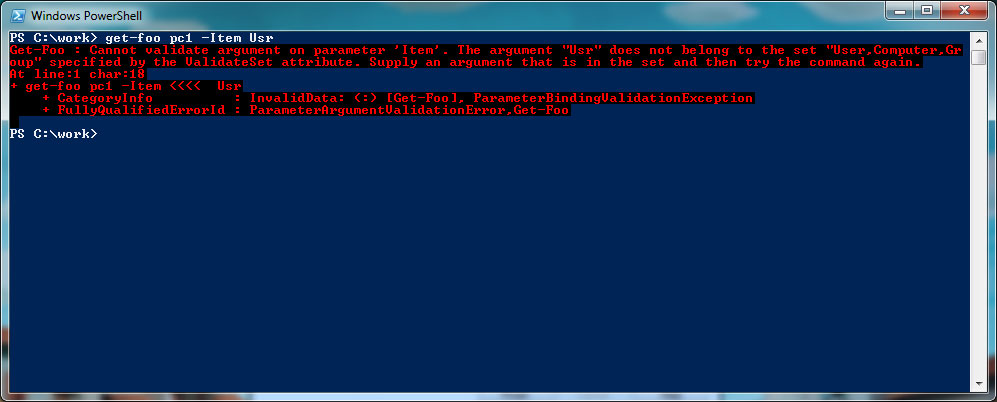
You can still set a default as I have done, but make sure it belongs to the set. You can provide a default value that doesn't belong to the set and PowerShell will NOT complain. But if you specify a value outside the set, it will (see Fig. 3).
 |
|
Figure 3. Who goes there? User, Computer, or Group? (Click image to view larger version.) |
ValidateScript
The last validation tool I want to cover is a script. The attribute uses a scriptblock with $_ representing the parameter value. You want to write the scriptblock so that it returns either True or False. Here, I modified the original Computername parameter to also test if the computer is reachable:
Param (
[Parameter(Position=0,Mandatory=$True,HelpMessage="What computer do you want to process?")]
[ValidateNotNullOrEmpty()]
[ValidateScript({Test-Connection -ComputerName $_ -Quiet -Count 2})]
[string]$computername,
[Parameter(Position=1)]
[ValidateRange(1,50)]
[int]$Count,
[Parameter()]
[ValidateSet("User","Computer","Group")]
[string]$Item="User"
)
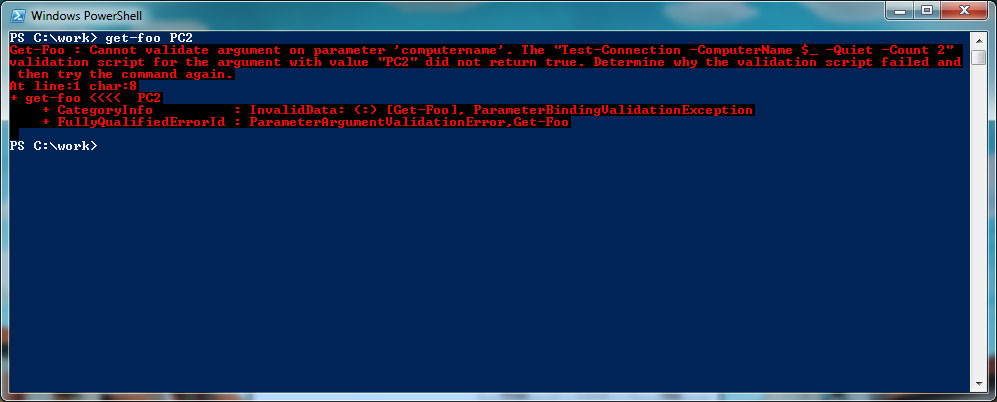
If the scriptblock returns False then the parameter is considered a failure. Thus, if I try to pass a computername that is unreachable, the Test-Connection expression will return $False and I end up with an exception again (see Fig. 4).
 |
|
Figure 4. Alas, there are exceptions to any rule. (Click image to view larger version.) |
You can include multiple validation tests as I've done here. In this example if the user is prompted and presses Enter the first validation will catch the problem, which is what I want.
There are few more options I didn't go into, like validating against a regular expression or pattern. Take a few minutes to read About_Functions_Advanced_Parameters and you'll see others worth deploying.
About the Author
Jeffery Hicks is an IT veteran with over 25 years of experience, much of it spent as an IT infrastructure consultant specializing in Microsoft server technologies with an emphasis in automation and efficiency. He is a multi-year recipient of the Microsoft MVP Award in Windows PowerShell. He works today as an independent author, trainer and consultant. Jeff has written for numerous online sites and print publications, is a contributing editor at Petri.com, and a frequent speaker at technology conferences and user groups.